Prusa CORE One+: Six Months and Three Printers Later
The verdict
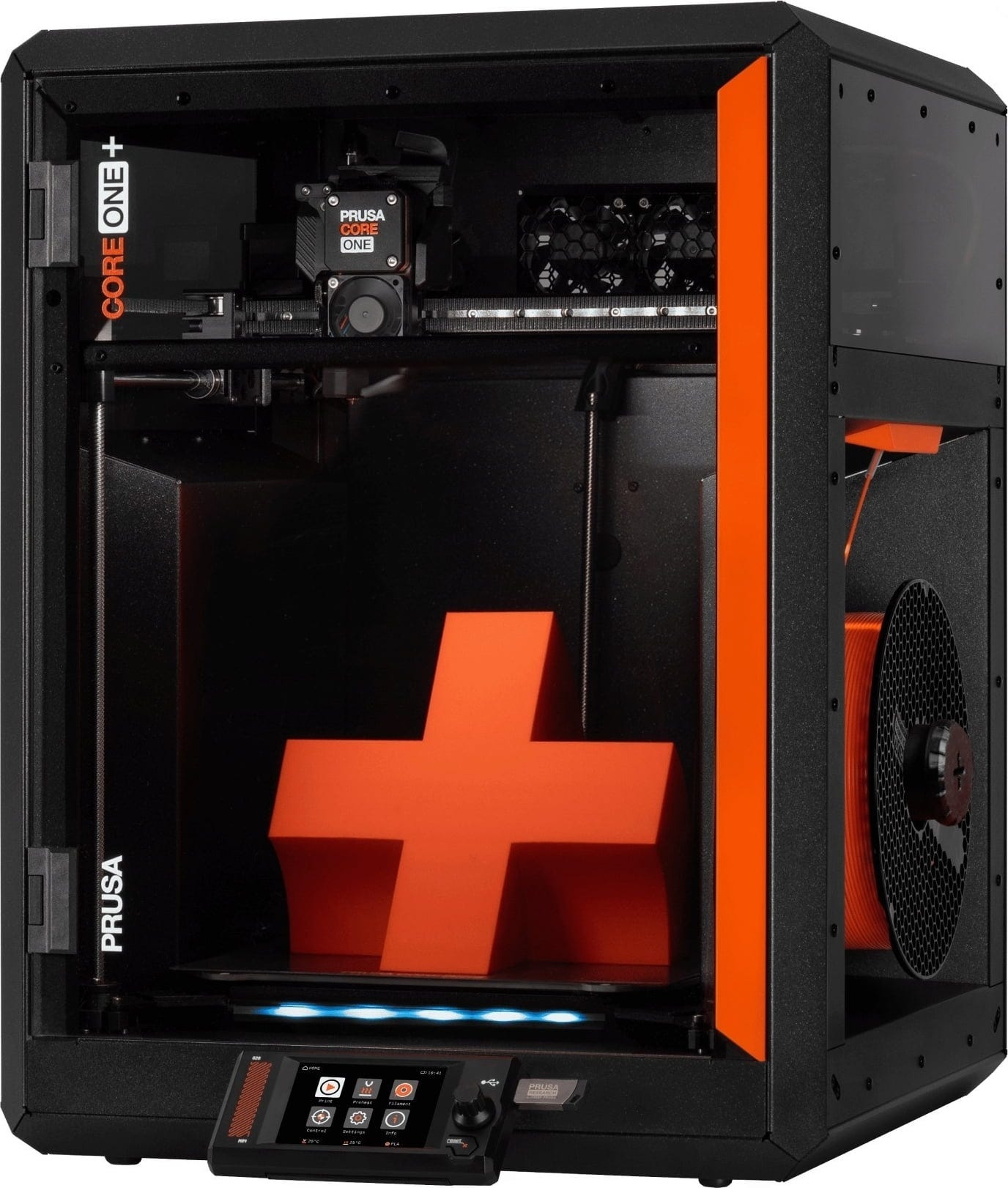
An excellent, reliable enclosed CoreXY that prints beautifully and stays completely open about filament. The one real compromise is the chamber: it regulates temperature well but has no dedicated heater. If Prusa's open, upgradable philosophy matches how you like to own hardware, this is an easy recommendation.
Score breakdown
What I liked
- Rock-solid reliability over six months
- Excellent print quality once broken in
- Genuinely easy to use day to day
- Completely open: any filament brand, no lock-in
- PrusaSlicer presets that just work
- High-quality parts and a satisfying kit build
- Open and upgradable by design
What I didn't
- No dedicated chamber heater, only passive heating with regulation
- Short belt break-in period where tension drifts
- Premium price versus some rivals
Specifications
| Model | Prusa CORE One+ (kit, self-assembled) |
|---|---|
| Type | Fully enclosed CoreXY FDM |
| Build volume | 250 x 220 x 270 mm |
| Hotend / nozzle | CHT high-flow, E3D V6 compatible nozzles |
| Chamber | Passive heating, regulated via heatbed and a chamber thermistor in a sealed enclosure. No dedicated heater. |
| Connectivity | Wi-Fi with Prusa Connect, USB, PrusaSlicer upload |
| Filament support | Fully open: works with any brand |
| What I paid | EUR 1,050 + EUR 10 shipping = EUR 1,060 |
Where I’m coming from
Context matters for a review, so here is mine. My first printer was an Ender 5, the classic budget cube that taught me as much about troubleshooting as it did about printing. From there I moved to a Qidi Q1 Pro, which was a real step up and, importantly, has an actively heated chamber. The CORE One+ is my third machine, and I bought it knowing exactly which features I cared about. That history shapes a couple of the judgments below, especially around the chamber.
Building it
I bought the kit and assembled it myself. The build went smoothly. Prusa’s instructions are the gold standard for a reason, and the parts are high quality throughout, so nothing felt flimsy or forced during assembly. If you have never built a printer before, this is about as approachable as a kit gets, and you come out the other side understanding your machine, which pays off later when something needs adjusting.
Print quality and the belt break-in story
Print quality is excellent, but there is a nuance worth being honest about. Early on I saw some vertical fine artifacts (VFAs), the faint repeating texture on vertical walls. They were only ever visible when the belt tension was not quite right, and in the first weeks the belts were still breaking in, so they would lose optimal tension fairly quickly.
This sorted itself out after roughly 20 to 50 hours of printing. Once that break-in period was over, the belts held their tension properly and the artifacts stopped showing up. Re-tuning when needed was painless too: Prusa’s newest tuning method is genuinely easy, and credit to them for that, it takes the guesswork out of getting things dialed in. So if you buy one and notice some VFAs in the first couple of weeks, do not panic. Print through the break-in, keep an eye on tension, and it settles.
The chamber: the one real compromise
This is the part I most want people to understand before buying, and it is the main reason this is a 9 and not higher for my use. Despite the enclosed design, the CORE One+ does not have a dedicated chamber heater. What it has is a chamber thermistor and a well-sealed, efficient enclosure that makes passive heating (mostly from the heatbed) work better, plus the ability to regulate that temperature. It is a smart, clean solution and it is genuinely better than an unmanaged enclosure.
But coming straight from a Qidi Q1 Pro, which has an actively heated chamber, the difference is noticeable on the most warp-prone materials. For large ABS or ASA parts, an actively heated chamber simply gives you more headroom. For PLA, PETG, smaller engineering parts and the vast majority of everyday printing, this is a non-issue and the enclosure does its job well. Just go in with clear expectations: this is regulated passive heating, not a powered hot box.
Materials and filament freedom
I print a wide mix: PLA for everyday parts, ABS and ASA and other engineering materials when I need the properties, and TPU and other flexibles too. The CORE One+ has handled all of it. The flexibles in particular print cleanly, which is not a given on every machine.
The bigger point is filament freedom. The printer is completely open about what you feed it, with no nudging toward one brand. I have run Prusament and Polymaker most often and both have been excellent, but the slicer is full of presets for other brands, so you are free to shop on price and availability. Over time that openness saves real money, and it is a deliberate part of how Prusa builds its machines.
PrusaSlicer and the software side
PrusaSlicer has been a highlight. The presets just work, so getting a good result out of a new material rarely means a long tuning session. Combined with the easy hardware tuning mentioned earlier, the whole software-to-print loop is low friction. For sending jobs I bounce between Wi-Fi through Prusa Connect, a plain USB drive, and uploading straight from PrusaSlicer, depending on whether I am at the desk or not. All three are reliable, and having the option matters more than any single one.
Reliability over six months
This is where the CORE One+ has quietly impressed me most. It has been rock solid, with almost nothing going wrong. Beyond the initial belt break-in, I have not had to fight failed prints, jams or surprise repairs. For a machine I use this often, that dependability is worth as much as any single spec. It is the difference between a tool and a project.
Why the Prusa philosophy matters here
A lot of my recommendation comes down to how Prusa builds and supports its hardware: open source, upgradable, and designed to be understood and maintained by the owner. If that matches how you like to own a tool, the CORE One+ is more than the sum of its specs, because you are buying into a platform you can keep improving rather than a sealed appliance. If you would rather a printer be a closed box that you never think about, that philosophy will matter less to you, and that is a fair preference too.
Who should buy it, and who should skip it
Buy it if you want a reliable, high-quality enclosed printer that handles a broad range of materials, and if you value an open, upgradable platform from a company with that philosophy. It is a great fit for anyone moving up from a budget machine who wants results without constant babysitting.
Think twice if your main need is heavy ABS or ASA work that really benefits from an actively heated chamber, or if you simply want the cheapest path to good prints. In the first case, look at machines with a powered chamber. In the second, there are cheaper options, though few that combine this reliability with this openness.
Bottom line
The Prusa CORE One+ is a 9 out of 10 for me, and I would buy it again. It is reliable, easy to live with, prints a wide range of materials well, and rewards the kind of owner who likes an open, upgradable platform. The lack of a dedicated chamber heater is the one thing to understand going in, and the short belt break-in is a minor early hurdle. Past those, this is one of the easiest printers I can recommend to the right person.
Mods I've added
Part of the appeal of an open platform is that the community keeps making it better. These are the upgrades I run. Full credit to the original makers.
Magnetic corner plugs
Press-in plugs with 10x3 mm magnets that seal the chamber corners. Better isolation means the enclosure heats up faster and holds temperature more steadily, which directly helps the passive-heating setup. You will need a few 10x3 mm magnets. By Anthony Coombes.
Get it on Printables →Feet v2 (reuse the stock rubber feet)
Replacement feet with a pocket that the original Prusa anti-vibration rubber feet push straight into, no glue, and they print without supports. Improves stability while reusing parts you already have. By Ondrashek.
Get it on Printables →Other interesting mods you might want
Upgrades I have not run myself but that the Core One community rates highly. All free on Printables.
Modular side storage
A modular storage system that mounts on the left side of the printer, handy for keeping tools, nozzles and small parts within reach. By jonnieZG.
View on Printables →EdgeCase recirculating HEPA and carbon filter
A non-invasive internal filter that scrubs fumes by recirculating chamber air through HEPA and carbon media, tucking into a corner without major chamber modifications. Good for ABS and ASA. By Philip Sorensen.
View on Printables →Exhaust vent flaps
Gravity-closing flaps for the rear exhaust outlets. They open when the fans run and fall shut when the fans stop, helping hold chamber heat for higher-temp materials. A nice complement to the corner plugs. By MandicReally.
View on Printables →Dust protector
Simple covers that stop debris and dust from falling into the gaps and cracks around the frame, keeping things cleaner over time. By Jupera.
View on Printables →